Numbers you can verify
The formulas, standards and test results are documented. The analysis panel and every report show what is included in the calculation, and what is not.

Native macOS app · Developed in Norway
Import the floor plan, place the loudspeakers and see sound pressure, reverberation and speech intelligibility recalculated as you work. The method, standards and validation are documented, so you know what the numbers are based on.
Why Nordic Acoustic Designer
The formulas, standards and test results are documented. The analysis panel and every report show what is included in the calculation, and what is not.
Written in Swift for macOS. The map is calculated in a fraction of a second, and your projects stay on your own Mac, with no account and no cloud storage.
DXF, PDF, DWG, IFC2x3 and IFC4, and 3D models in OBJ and STL. Or build the room yourself with columns, furniture and a stage. Survey points from Leica DISTO exports are shown as clear targets.
1,394 models with data sheet values, and import of measured directivity in SOFA (AES69), CSV and FRD. Generic models and unchecked values are clearly labelled.
The assistant runs locally on your Mac and takes every number from the calculation engine. It proposes fixes, but nothing changes until you click «Apply».
The base license covers drawings, loudspeakers, SPL map and report. Add CAD and BIM, installation, line array, room acoustics or measured data when you need them.
See the program
Projects built in the program, with the program’s own numbers below each picture.
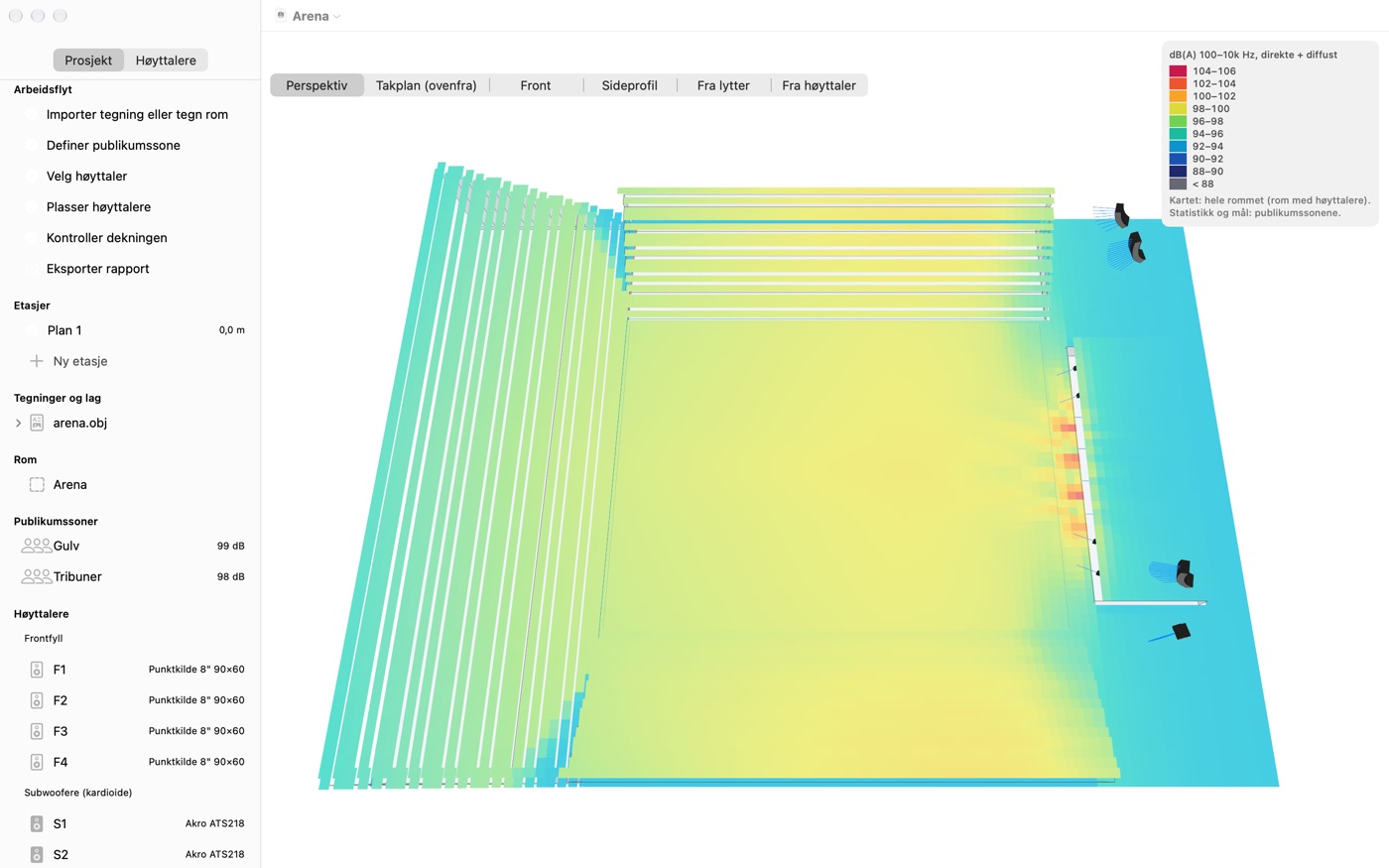
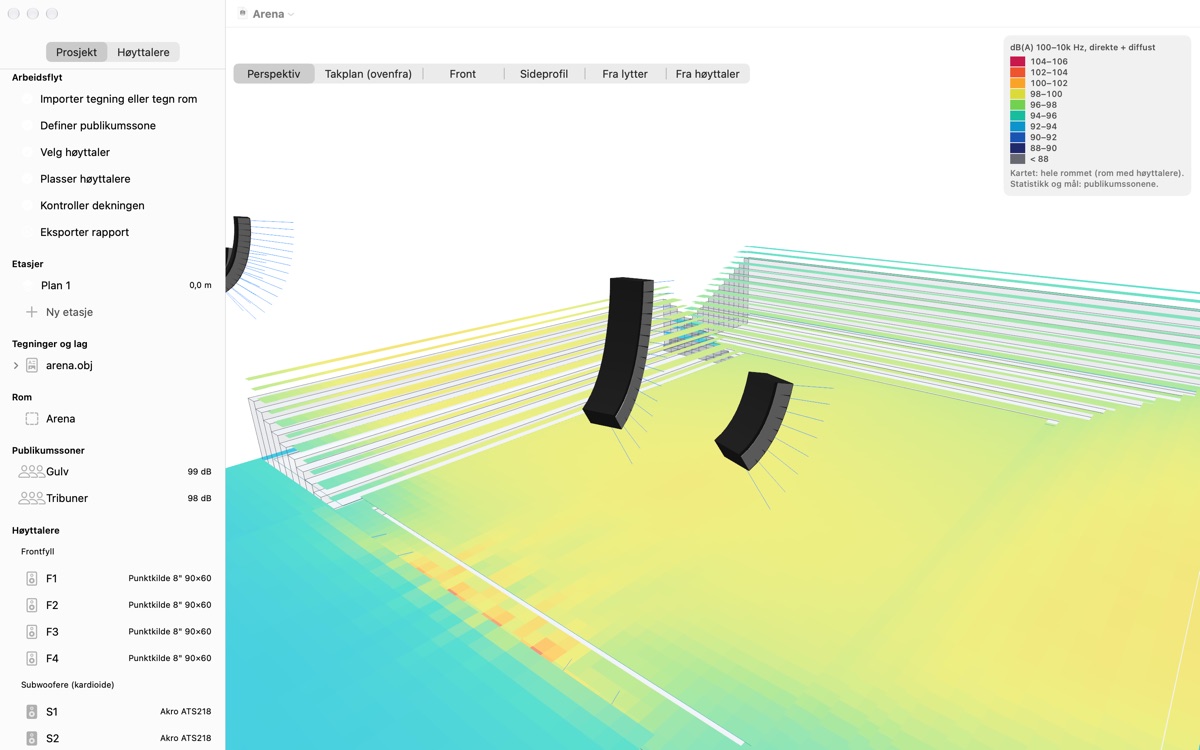
Tiers on three sides, stage, arrays, subwoofers and front fills. Reverberation is calculated from the volume and the materials: concrete and masonry walls and a perforated steel ceiling with mineral wool.
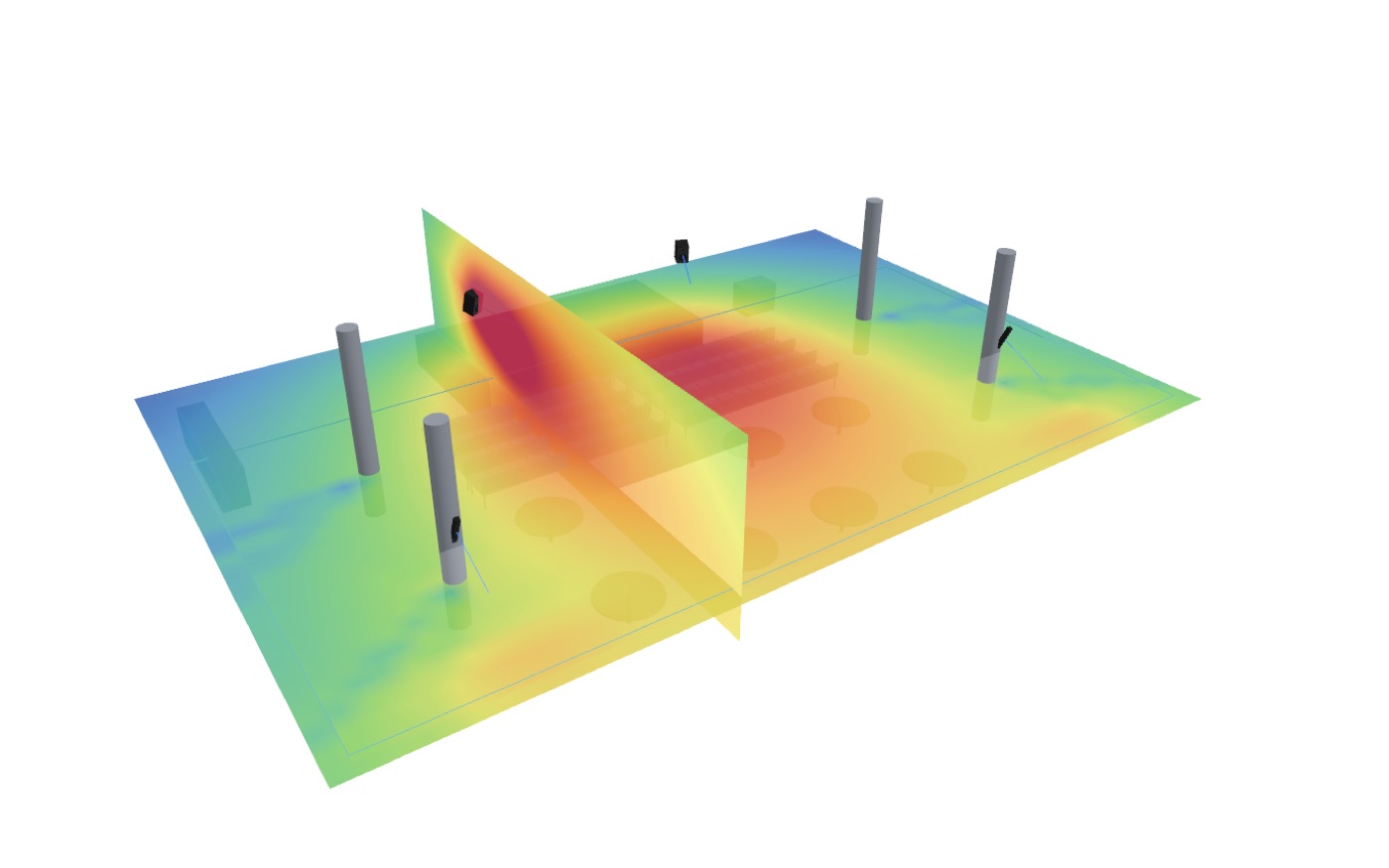
The objects are shown in 3D together with the sound map and a vertical section through the room, so you can see how the sound spreads both across the floor and in height.
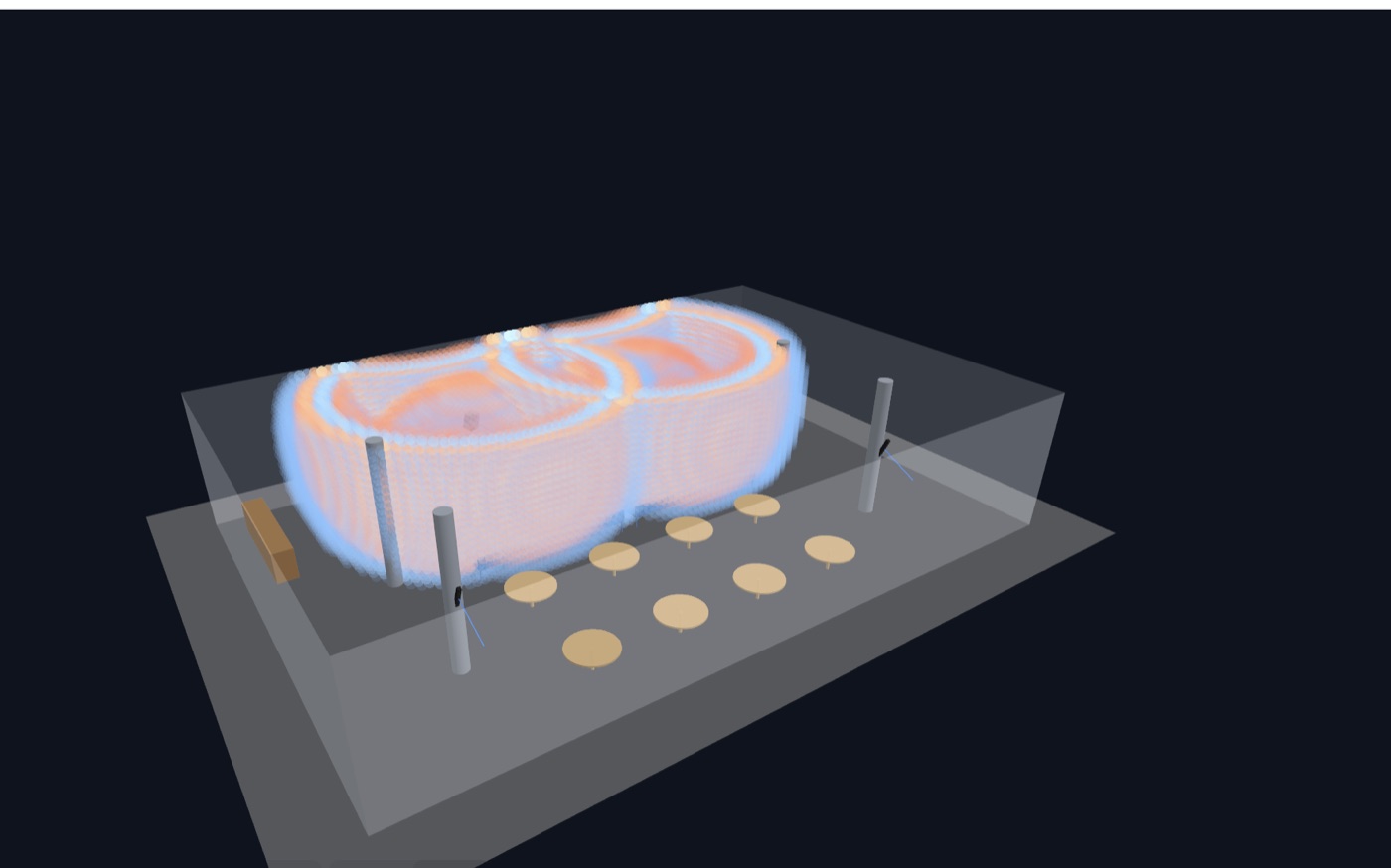
The 3D wave simulation: a short pulse spreads from the loudspeakers as spheres and reflects from floor, ceiling, walls and columns. The tables stand on legs, so the sound also travels under them.
The whole workflow in one program, with no account and no cloud storage. Your projects stay on your own Mac.
DXF and PDF with the base license, DWG, IFC and 3D models with CAD and BIM. Rooms are detected from the drawing.
Draw audience zones with a target level, and place and aim the loudspeakers with the mouse.
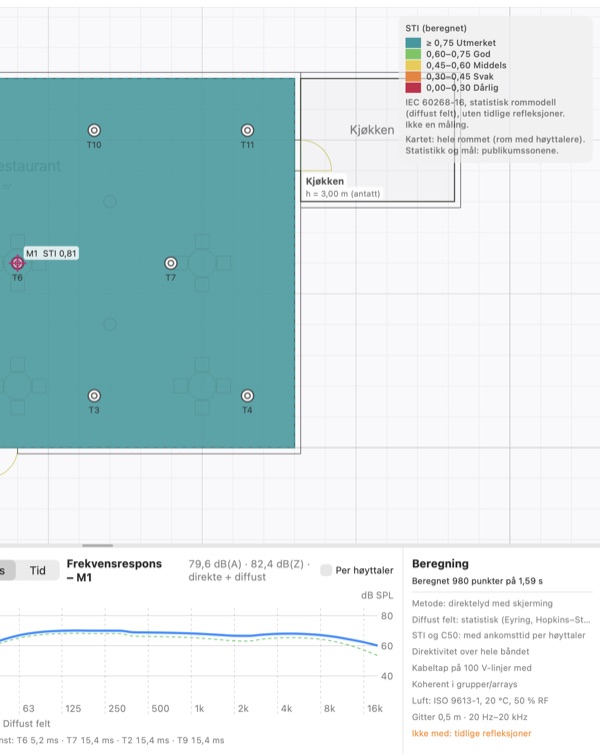
The SPL map is recalculated as you work, with statistics and frequency response.
PDF report for the client or as technical documentation, and export to PNG, SVG, DXF and CSV.
Calculations you can verify
The program shows what is and is not included in the calculation, both in the analysis panel and in every report.
The base license covers drawings, loudspeakers, SPL map and report. Add the modules you need, or choose Complete.
From NOK 2,990
per user per year, excl. VAT
or NOK 599 per user per month
Required. Drawings, loudspeakers, SPL map and report.
NOK 6,990
per user per year, excl. VAT
or NOK 1,399 per user per month
The base license and all modules: CAD and BIM, installation, line array, room acoustics and measured data.
Direct sound in 31 third-octave bands from 20 Hz to 20 kHz, with air absorption according to ISO 9613-1, directivity, EQ and delay, vertical sections and sound waves.
Included in the base license
NOK 2,990/year · NOK 599/month
DWG, IFC2x3 and IFC4 with storeys, rooms and ceiling heights, and 3D models in OBJ and STL with audience zones that follow the floor.
+ NOK 1,490 per user per year
or NOK 299 per month
100 V lines with load, amplifier capacity and cable loss, automatic ceiling loudspeaker layout and an assistant that proposes changes.
+ NOK 1,490 per user per year
or NOK 299 per month
Splay angles between elements, automatic top angle and array geometry, calculated with coherent summation.
+ NOK 1,490 per user per year
or NOK 299 per month
Columns and furniture with materials, shadowing with diffraction, reverberation time per octave, STI and maps for C50, C80, D50 and %ALcons.
+ NOK 1,990 per user per year
or NOK 299 per month
Import measured directivity data in SOFA (AES69), CSV or FRD, with polar plots and validation.
+ NOK 990 per user per year
or NOK 299 per month
Preliminary prices.
We do not claim that. The engine is checked against formulas, hand calculations and published references, and the results are documented. It has not yet been compared with other programs or with measurements in real rooms. With «Measured versus calculated» you can enter your own measurements and see the deviation in the analysis panel and the report.
No. Projects are stored locally on your Mac, and the program works offline. The assistant uses Apple’s on-device language model, so the project is not sent over the internet.
Generic models for early planning, models from the loudspeaker database with data sheet values, your own models from data sheets and open .nadspk files. With the Measured data module you can import measured directivity in SOFA (AES69), CSV and FRD. Closed formats that require an agreement with the manufacturer cannot be read.
macOS 14 or later. The assistant with language model requires macOS 26 with Apple Intelligence on a Mac with Apple silicon.
The base license costs NOK 2,990 per user per year excl. VAT, and Complete with all modules NOK 6,990. With monthly payment they cost NOK 599 and NOK 1,399 per user per month. The prices are preliminary. You can buy in the app, or order from Nordic Sound & Light and receive an invoice and a license key by email. The app sells annual subscriptions.

Download the app from the Mac App Store. Buy a license in the app, or order from us and receive an invoice and a license key by email.